Choose a local journal when keeping the writing on your device fits your preferences and you are willing to manage preservation. Consider an account-based cloud journal when continuity across devices is a central requirement and you are comfortable evaluating the provider's account and storage arrangements. Neither label, by itself, tells you everything about privacy or reliability.
For emotional writing, this choice can become important long before you have a large archive. A page about disappointment, vulnerability, or a relationship may matter to you even if it is only a few sentences. Still stores journal and check-in content locally and does not require a Still account. Understanding what that means can help you decide whether it is the right home for the words you want to keep.
Start with where you expect to write and read
Imagine the ordinary path of an entry. You notice something on your phone, write a few sentences, and later want to reread it. If you expect both activities to happen on the same device, a local journal may fit that path well.
Now imagine a different requirement: you want to begin on a phone and continue on another device without manually moving anything. That is a continuity requirement, not merely a preference about how the editor looks. A journal without account-based cloud sync may not meet it, even if you like everything else about the app.
Write that requirement down before comparing products. “I need the same entries automatically available on two devices” is clear enough to check. “I want a convenient journal” leaves too much room to overlook a difference that could become frustrating after you have already invested time in the record.
Understand local storage without adding promises to it
Still keeps journal and check-in content on your device. It does not provide account-based cloud sync or an automatic backup to Still's own servers. You can create a backup through Files and export readable journal pages, but those are actions you choose rather than a background account feature.
Local content storage does not mean the entire app has no network activity. The privacy policy explains purchase services, optional usage sharing, and optional feedback separately from the journal. It is useful to read those distinctions because they describe different kinds of information and different reasons for a connection.
Likewise, “local” is not a complete description of every copy you may create. If you save a backup to a cloud storage destination in Files, that copy is handled by the destination you selected. The app can remain a local journal while you deliberately keep an exported or backup file somewhere else.
Evaluate a cloud option through its actual details
Cloud journaling is a broad category. Do not assume that every provider has the same syncing, recovery, encryption, account, or export behavior. If you are comparing Still with a cloud-based product, inspect that product's current official documentation for the requirements you care about.
A useful checklist is concrete: which devices can access the same record, whether edits synchronize automatically, how access is recovered, what happens when a plan ends, and which export formats are available. Avoid filling in those answers from the word “cloud” or from a general impression of the brand.
Privacy needs similar specificity. Where is content stored? What protections are documented? What does the provider say about its own access to content? These are questions for the particular service, not reasons to declare that all cloud journals are unsafe or that a local journal has no tradeoffs.
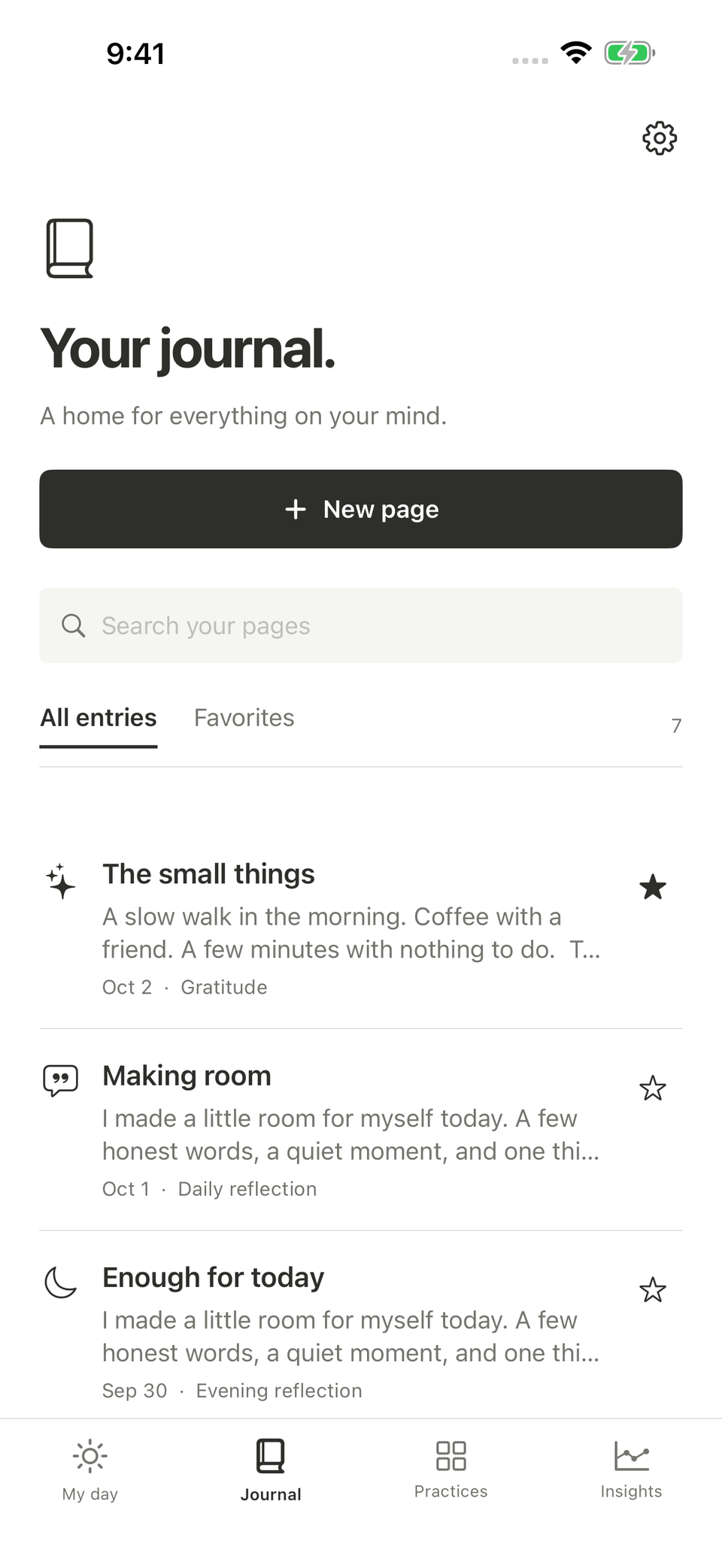
An illustrative Still screen. The app's local journal, a saved backup, and an exported document are different copies with different purposes.
Think through replacing the phone before you need to
An emotional journal can become important gradually. You may start with a few casual entries and later realize that it contains descriptions you do not want to lose. Planning for a device change is easier before the change is urgent.
With Still, learn how to save a backup and where you will keep it. The backup guide explains the current supported records, restoration behavior, and limits. Do not assume that creating a Still account later will recover writing from the old device; there is no account-based journal recovery service to rely on.
A readable export can be useful for a different reason. You might want selected pages in a format you can open outside the app. That does not make the document a substitute for an app backup. Decide whether you want a restore path, a readable copy, or both, and choose the corresponding actions deliberately.
Consider the sensitivity of the words and the copies
Suppose an entry describes feeling vulnerable after a conversation. You may want the freedom to keep your first reaction privately, revise it later, and decide separately whether anything should be communicated. The storage choice should support that distinction rather than turn the journal into an accidental sharing workflow.
An optional app lock can help control access through Still, using device authentication. It does not automatically protect a PDF you save in another application or a backup file you send elsewhere. Before creating a copy, consider who can access its destination and whether the full content is needed there.
This is especially relevant if a journal includes photographs, names, or private messages. You can often preserve the part that matters with less identifying detail. For example, a sentence about feeling disappointed may not require keeping an image of the entire conversation. That is a choice about the record itself, independent of whether the app stores it locally or in a cloud service.
Match the storage choice to your willingness to maintain it
A backup routine that sounds sensible but never happens may not fit your habits. Be realistic about whether you want to manage files periodically, whether you know where those files would go, and whether you would remember to check them before changing devices.
You do not need an elaborate system to consider a local journal, but you should understand the responsibility you are taking on. Conversely, choosing a cloud-based service does not remove the need to understand access, account security, and exports. It changes the arrangement; it does not make every preservation question disappear.
Try a small practical exercise during your evaluation. Create an entry you are comfortable using for the test, find the preservation controls, and inspect the resulting file or documented recovery route. If the process feels confusing, resolve that question before making the app the only place you keep writing you would be upset to lose.
Keep the subscription decision separate from the storage label
A local app may offer a subscription, and a cloud service may have both free and paid features. Price alone does not explain where the writing lives. Compare the features, access conditions, and storage arrangement as related but distinct parts of the choice.
For new users, Still Plus unlocks unlimited new entries, photo attachments, and guided writing. Existing writing remains accessible without an active subscription, with the documented controls for editing, deleting, backing up, and exporting. Check the support page and current Apple purchase screen for the terms that apply to you.
If your main reason to pay would be automatic synchronization, Still's paid writing features do not change the absence of account-based cloud sync. That is worth recognizing early. A subscription should be evaluated for what it actually includes, not for a capability you expect a paid product to have by default.
Choose the arrangement you understand
A good storage decision is one you can explain in ordinary language: “My writing is on this device, and I save a backup here,” or “This service keeps the record in my account, and these are its access and export rules.” If the explanation remains vague, there is a practical question left to investigate.
Still may fit if local writing, no Still account, and deliberate backups match your preferences. If seamless account-based continuity is essential, include that requirement when considering other tools. Review Still's current listing alongside its privacy and support information before committing.
The point is to give your emotional writing a home whose tradeoffs you know. You can then spend less of the writing session guessing what the app does with the words and more of it deciding what you want to say.